
Hyne Design – Design Software for NelsonPine® LVL
 Fast, accurate product specification for any project, domestic or commercial.
Hyne Design with NelsonPine® LVL is a powerful, industry-standard design software tool for structural timber applications. Whether you’re a builder, designer, or structural engineer, Hyne Design makes calculations simple through an intuitive interface. It supports a range of building types and user competencies, Hyne Design assists with certified specification of engineered wood products in common residential and commercial applications.
Designed to streamline timber design, the software completes engineering equations for you and assisting you to specify the right products for each application —ensuring accuracy and efficiency to Timber Design.
Hyne Design is our fully supported design platform for NelsonPine® LVL. This online-based system offers enhanced features, ongoing updates, and full compatibilities with NelsonPine® LVL range of standard products. Being an online platform, Hyne Design ensures you always have access to the most up-to-date tools and functionality.
How to Transition to Hyne Design
Create Your Hyne Design Account
- Click on button provided below to open the Hyne Design Software page.
- Read through the page to get more context on how the system works, including available user levels, training and support resources
- When ready, click “Get Started” at the top of the page to sign up — if you don’t already have an account .. Fill in your name, email, and any other required details.
- Submit the form and verify your email if prompted.
Login to Your New Hyne Design Account
- Once your account is set up, go to the Hyne Design login page.
- Enter your credentials and sign in.
Set Your Preferences (Important for NZ Users)
- Under the Project Data tab, make sure to set your region to “New Zealand” when completing the project details. (this should only need to be done once)
- This ensures that NelsonPine® LVL options are available in your design selections
Enable NelsonPine® LVL Product Files
- Go to the Product Control tab
- Make Sure the Nelson Pine box is ticked Under “Timber Files”.
- Review the other product file options and tick only those you need. Untick any that are not required.
Sample Application Images


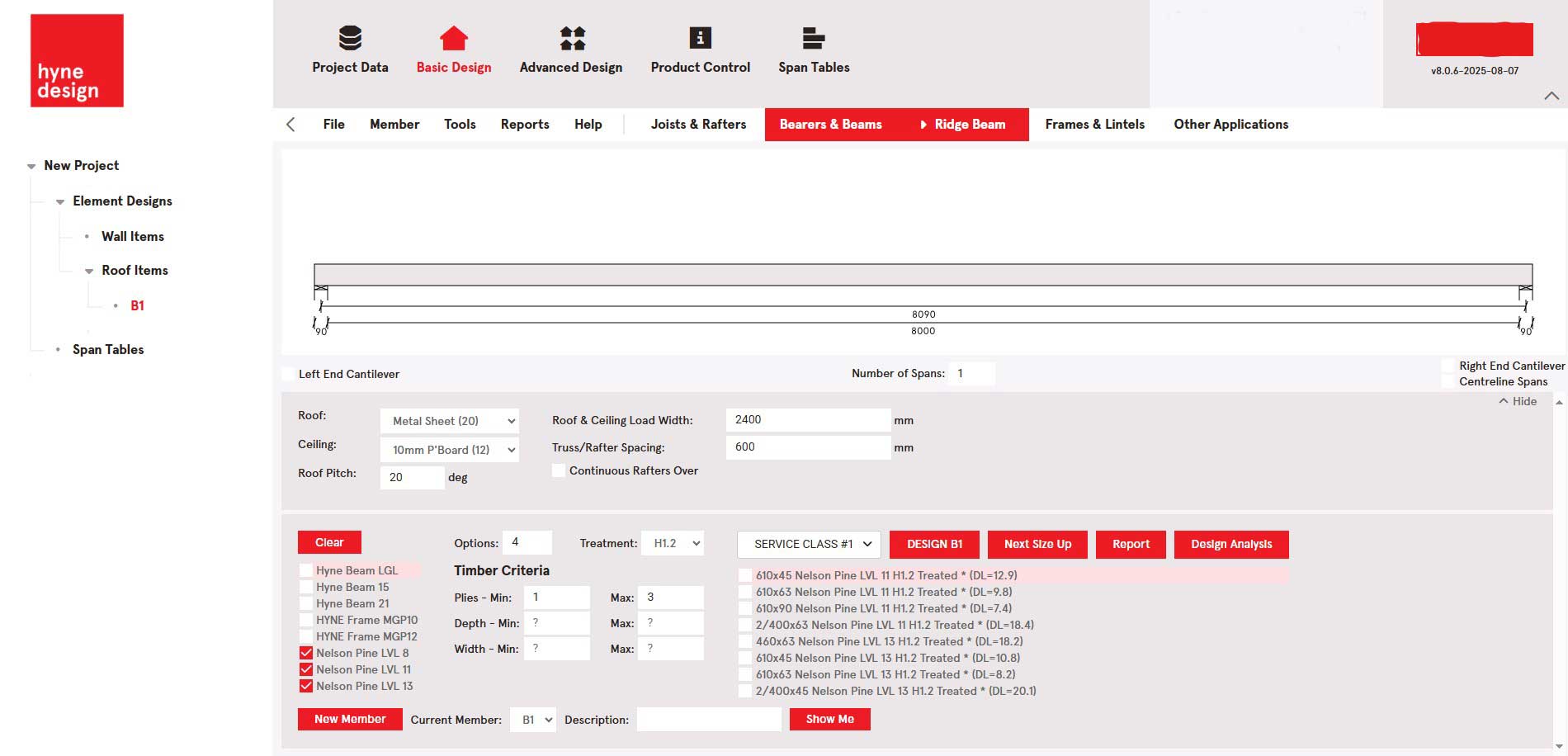
Typical Project Use
